
If your team still relies on text messages or phone calls to approve multi-factor authentication (MFA) sign-ins for Microsoft 365, a major change is coming. Microsoft has announced a fundamental shift in how Entra ID handles user security: passkeys are becoming the default authentication method.
As cyber threats grow faster and more sophisticated in the AI era, traditional phishable second factors like SMS and voice are being phased out. For local businesses, councils, and organisations across the UK, this shift is designed to dramatically improve security—but it requires a proactive transition plan to prevent sudden staff sign-in disruptions.
What Actually Is a Passkey, and How Does It Work?
To understand why Microsoft is making this move, it helps to look at what a passkey is and how it replaces the old way of signing in.
Put simply, a passkey is a digital credential that replaces passwords and text codes entirely. Instead of typing out a static string of characters or waiting for a six-digit code to arrive via an SMS text message, a passkey uses public-key cryptography to verify who you are.
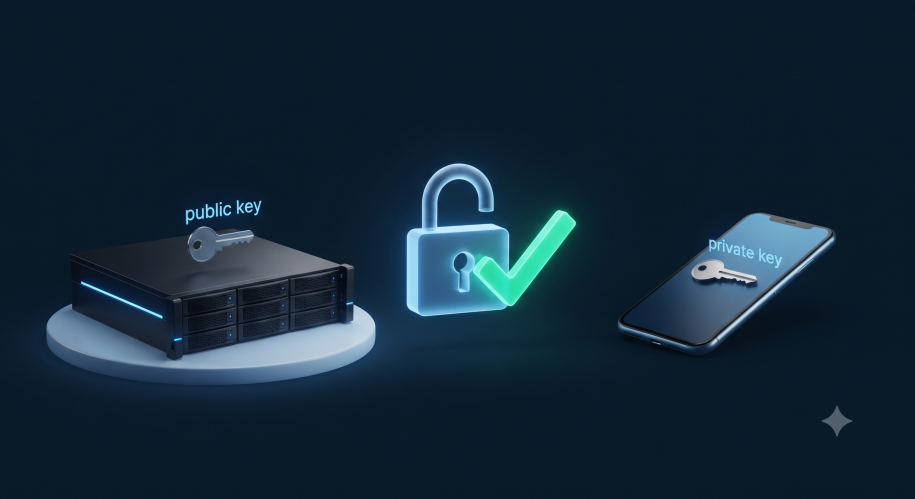
Under the hood, a passkey consists of a matched pair of cryptographic keys:
- The Public Key, which is stored securely on Microsoft’s servers.
- The Private Key, which stays locked safely on your device (such as your phone, laptop, or hardware security key).
When you go to sign into Microsoft 365, your device can use a local biometric check—like your fingerprint, facial recognition, a secure PIN (such as Windows Hello PIN) or a physical FIDO2 key, to unlock that private key. Your device then performs a secure digital “handshake” with Microsoft’s servers.
Because the private key never leaves your device, there is nothing for a hacker to intercept, guess, or steal from a fake phishing website. Even better, it makes daily signing in much faster and smoother for your team. Microsoft Entra ID supports both synced passkeys (stored in platform managers like iCloud Keychain or Google Password Manager) and device-bound passkeys (such as Microsoft Authenticator passkeys, Windows Hello, or FIDO2 keys).
The Timeline: What’s Changing and When?
Microsoft is rolling out these changes in measured phases to give organisations time to adapt:
- September 1, 2026: Passkeys become the default sign-in method in Entra ID. Users enabled for SMS or voice will be automatically nudged to register a passkey the next time they complete an MFA check.
- February 1, 2027: Microsoft officially retires native telecom delivery for SMS and voice authentication.
After February 2027, Microsoft will no longer provide built-in SMS or voice options natively within Entra ID. While external telecom workarounds will technically exist via third-party partners through the Microsoft Security Store (carrying extra costs), Microsoft’s clear direction is to move everyone to phishing-resistant passkeys.
Why the Shift? SMS and Voice Are No Longer Enough
Text messages and voice calls rely on shared carrier channels that are increasingly vulnerable to interception, social engineering, and advanced tactics like SIM swapping. With AI-driven cyberattacks automating credential theft at scale, static passwords backed by SMS verification leave an open door for attackers.
Passkeys change the game by making logins completely phishing-resistant by design, keeping your corporate data secure while speeding up the morning routine for your staff.
How RLS Can Help Your Business Prepare
Transitioning your team away from legacy authentication methods doesn’t have to be a headache. Whether you run a local enterprise or you’re a clerk for a council, our team at RLS Computer Services Ltd can help you:
- Audit your current user accounts to identify who is still relying on SMS or voice authentication.
- Plan and configure your passkey rollout, ensuring compatibility across your staff’s Windows PCs, Macs, and mobile devices.
- Run registration campaigns smoothly so your employees are educated, prepared, and transition without login downtime.
Don’t wait for the February 2027 deadline to catch your team off guard. Get in touch with the RLS team today to review your Microsoft 365 security posture and ensure a seamless upgrade to modern passkeys.