
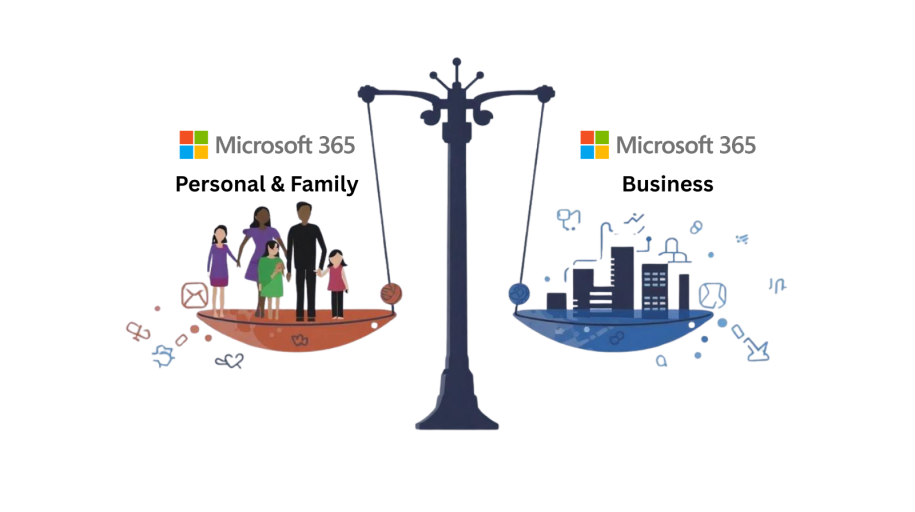
Microsoft 365 Home vs Business: What’s the Real Difference?
Many people assume that Microsoft 365 Home (Personal & Family) and Microsoft 365 Business are essentially the same product, just with different pricing. Unfortunately, that assumption often leads to GDPR problems, data loss, and in some cases, licensing issues.
In this guide, we break down the real-world differences in plain English, using examples from businesses we support here at RLS Computer Services. By the end, you’ll know exactly which version is right for you or your organisation.
A Real Story: When a Cheaper Licence Becomes Expensive
A few months ago, a small local business contacted us in a panic.
They’d set up all their staff using Microsoft 365 Family, thinking it was “basically the same as Business, just cheaper”.
Then one day, they discovered they’d lost a batch of customer files stored in an employee’s OneDrive. Unfortunately, this employee had left the company — and because the licence belonged to them personally, the business had no legal or technical right to access those files.
Worse still, they were potentially in breach of data protection rules.
This story is far more common than you might think.
Microsoft 365 Home vs Business: The Core Differences
1. Microsoft 365 Personal & Family (Home) — Personal Use Only
The Home editions are designed for:
- Families
- Households
- Personal devices
- Students
- Individuals
The major limitations:
- The licence belongs to the individual, not the company
- No central admin or security controls
- No SharePoint or Exchange (the business-grade cloud services)
- No control over data ownership
- No compliant backup options
- Not suitable for GDPR-regulated data
Home editions are not designed for business, clubs, local authorities, or organisations of any kind.
2. Microsoft 365 Business — Built for Organisations
Microsoft 365 Business is designed for:
- SMEs
- Charities
- Parish & town councils
- Schools
- Clubs & committees
- Any organisation handling data from members, customers or the public
What you get:
- Licences owned by the organisation
- Full Microsoft 365 Admin Centre
- Controlled access to OneDrive, SharePoint, Teams & Exchange
- Device and account management
- GDPR-ready security and compliance tools
- Multi-factor authentication
- Optional backup and retention controls
These features are essential for anyone handling sensitive or regulated information.
“But I Don’t Own My Company’s Data with a Home Subscription?”
Correct — and it’s one of the biggest hidden dangers.
If company data is stored in an employee’s personal OneDrive:
- You do not legally own that data
- You may not be able to retrieve it if that person leaves
- You may breach GDPR by storing data in a non-compliant personal cloud
When a staff member leaves, so does your control over the files stored under their account.
Business Advantage: You Retain Full Control
With Microsoft 365 Business:
- Your organisation owns the tenant
- Permissions can be reassigned instantly
- IT admins can suspend accounts without losing data
- You can remote-wipe lost devices
- Data stays inside controlled, UK-based Microsoft cloud environments
With Home editions, none of this is possible.
Pricing: Is Microsoft 365 Business Really More Expensive?
Many people assume so — but when you compare the features, the difference is surprisingly small.
Microsoft 365 Personal & Family (UK Pricing)
(Correct at the time of writing)
- Personal: £84.99/year (£8.49/month)
- Family: £104.99/year (£10.49/month) for up to 6 people
Includes:
- Office apps
- 1TB OneDrive per user
- Install on up to 5 devices per user
- No business or security tools
Microsoft 365 Business Plans (UK Pricing)
(Approximate monthly prices, month-to-month)
- Business Basic: ~£5.52 per user/month
- Business Standard: ~£11.52 per user/month
- Business Premium: ~£20.28 per user/month
Includes:
- Business-grade desktop apps (Standard & Premium)
- SharePoint, Exchange, Teams
- Full security and admin controls
- Compliance tools
- Optional enterprise-level backup
- Install apps on multiple devices per user
A small monthly increase brings massively improved security, control and compliance.
Buying Microsoft 365: Home vs Business
Home Edition — Simple Online Purchase
Buy directly from Microsoft:
- No partner involvement
- No setup
- Support via Microsoft
- Suitable for families and individuals
Business Edition — Best Purchased Through a Microsoft Partner
A trusted partner, like RLS Computer Services, provides:
- Licence supply & management
- Full Microsoft 365 tenant administration
- Security configuration
- Backup and retention policies
- SharePoint/Teams/OneDrive setup
- GDPR-compliant configuration
- Ongoing support
Think of a Microsoft Partner as your business cloud IT department.
Backup & GDPR: A Critical Difference
Microsoft 365 Home offers only:
- A 30-day recycling bin
- No advanced recovery
- No audit trail
- No retention policies
- No compliance centre
If something is deleted — especially by mistake — it may be gone for good.
Business Plans Offer:
- SharePoint version history
- Tenant-wide retention policies
- Full audit logging
- MFA security
- Optional full Microsoft 365 backup
For councils, charities, local authorities, sole traders and SMEs, this is essential.
So Which Version Should You Choose?
Microsoft 365 Personal & Family — Choose this if:
- You’re a single user or family
- You only need the basic Office apps
- You’re not storing customer/member data
- You’re not a business, club, school, or local authority
Microsoft 365 Business — Choose this if:
- You run any organisation
- You handle personal or sensitive information
- You need security, retention & compliance
- You want Teams, SharePoint, Exchange
- You want data to stay under company ownership
- You want proper IT administration
Final Thoughts
Choosing between Microsoft 365 Home and Business isn’t about features — it’s about data ownership, security, compliance, and control.
If you’re unsure which version you need, or if your organisation is currently using the wrong one, we can help.
At RLS Computer Services, we can:
- Assess your current setup
- Recommend the correct Microsoft 365 plan
- Migrate your data safely
- Configure security and compliance
- Provide full ongoing support
Get in touch today for expert guidance